
The right weight for every set.
Crescendo tells you what to put on the bar for every set, and why: “3 × 12 reached: +2.5 kg”. A lifting log that does the math for you and fits your workout to your day, on iPhone or on your wrist, with no account.
Why I made Crescendo
I go to the gym at least three times a week, in short 30-minute sessions. Crescendo started as my own lifting log: I wanted it to tell me what to put on the bar, and why.
 Nicolas Dojcilovic, who makes SuiteForge · Why I make these apps
See it in action
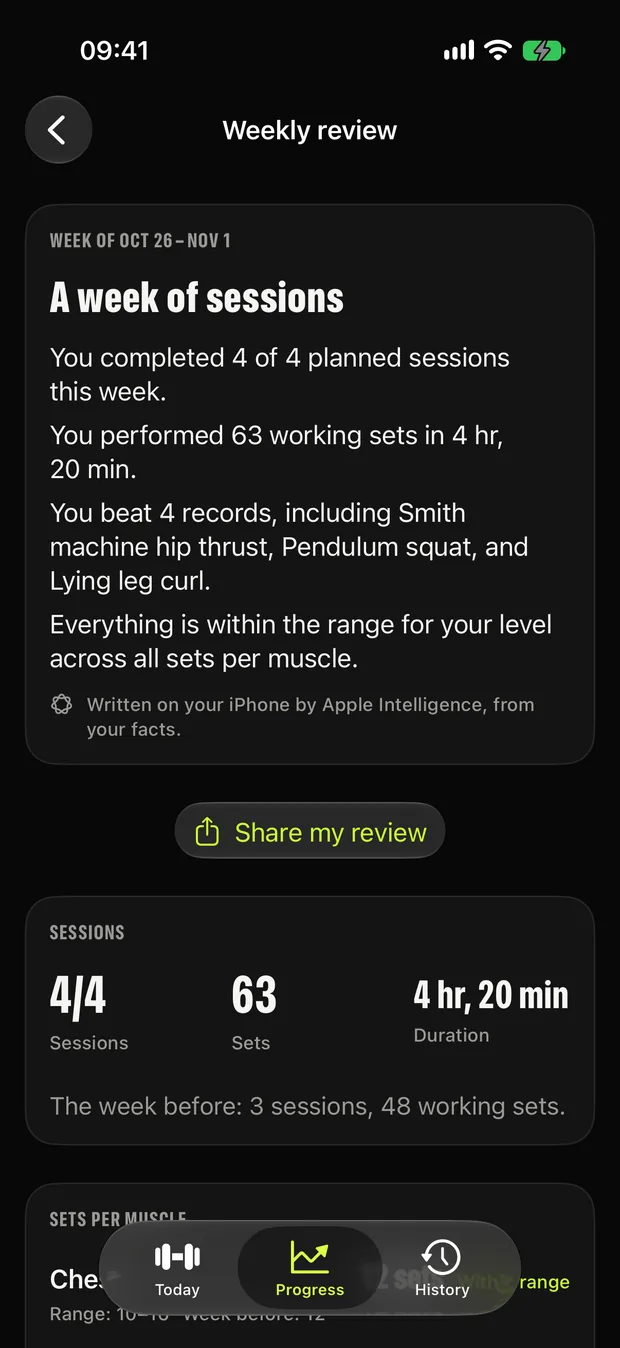
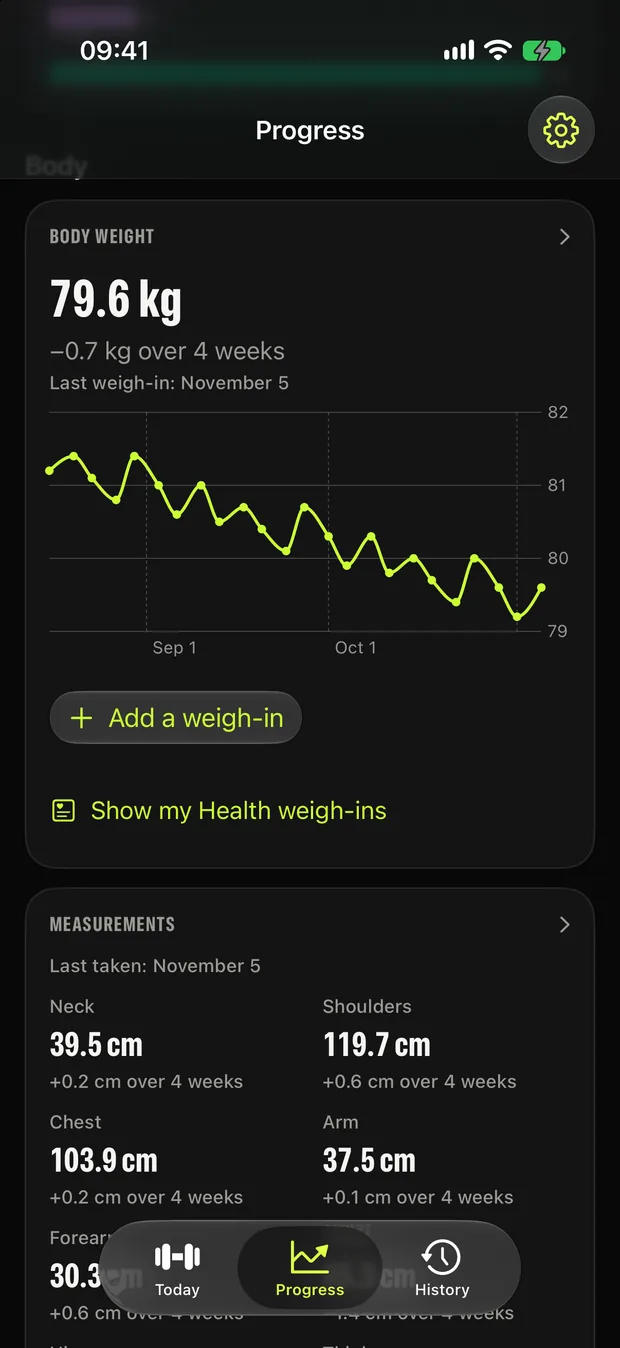
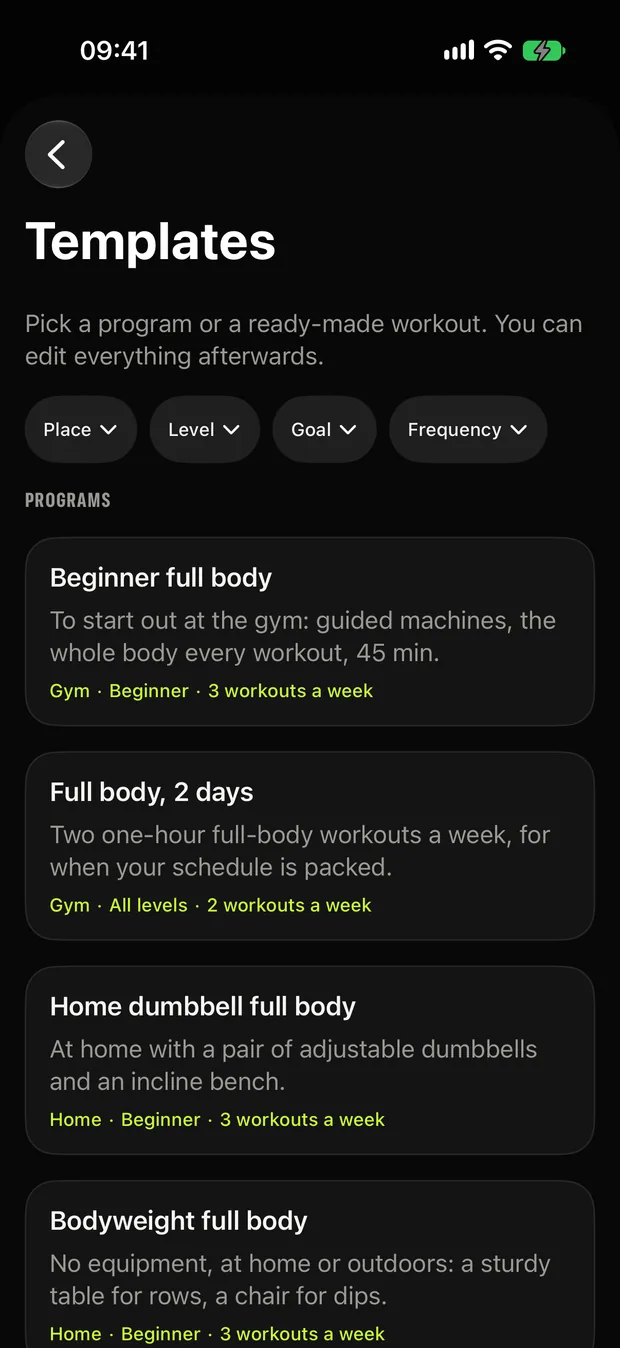
Real screens from Crescendo.
What it does
Everything you need, nothing you don't.
The right load, explained
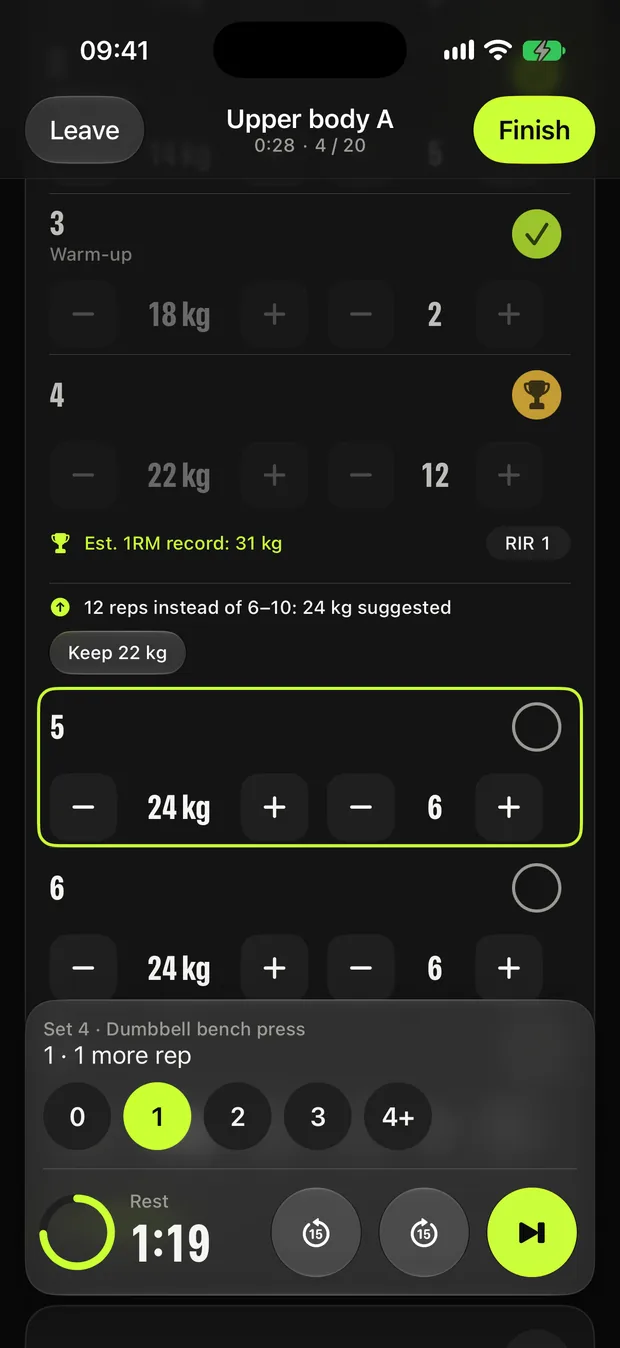
Crescendo looks at your last session and suggests today's weight by double progression, rounded to your equipment, with the reason in one line. Too many reps or too few, and the next set adjusts. Deloads when fatigue builds up, a lighter comeback after a break.
Your program in three questions
Goal, days per week, session length, equipment, level, joints to spare: Crescendo builds a program from proven templates. Or pick one of 12 programs and 12 ready-made workouts, at the gym, at home or on the road. Everything can be edited.
Your whole workout on your wrist
On Apple Watch: the set, the load, your rest and your heart rate, with the workout saved to Health. On iPhone, the rest timer runs as a Live Activity and in the Dynamic Island, with a sound when rest is over.
A workout that fits your day
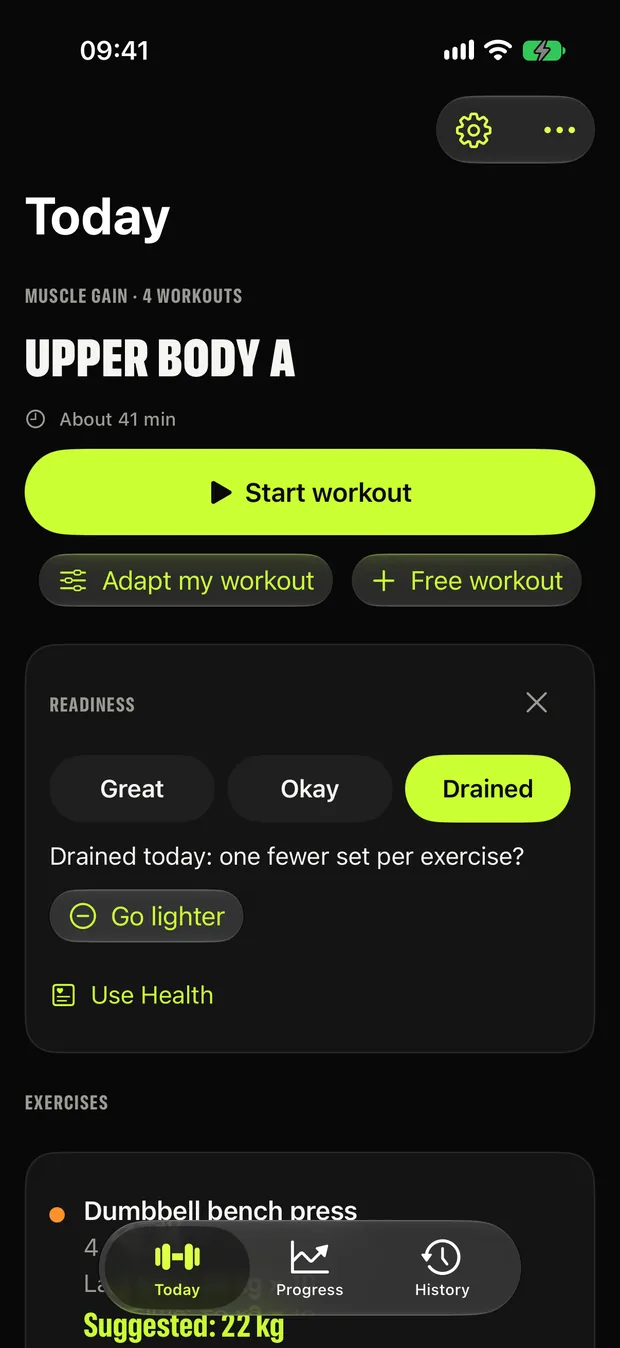
Short on time, a machine taken, a joint to spare: the workout adjusts and one tap undoes it. On tired days, Readiness offers a lighter session from how you feel, or from your sleep and heart data in Health. Premium, with three adaptations on us to try it.
Your progress and your body
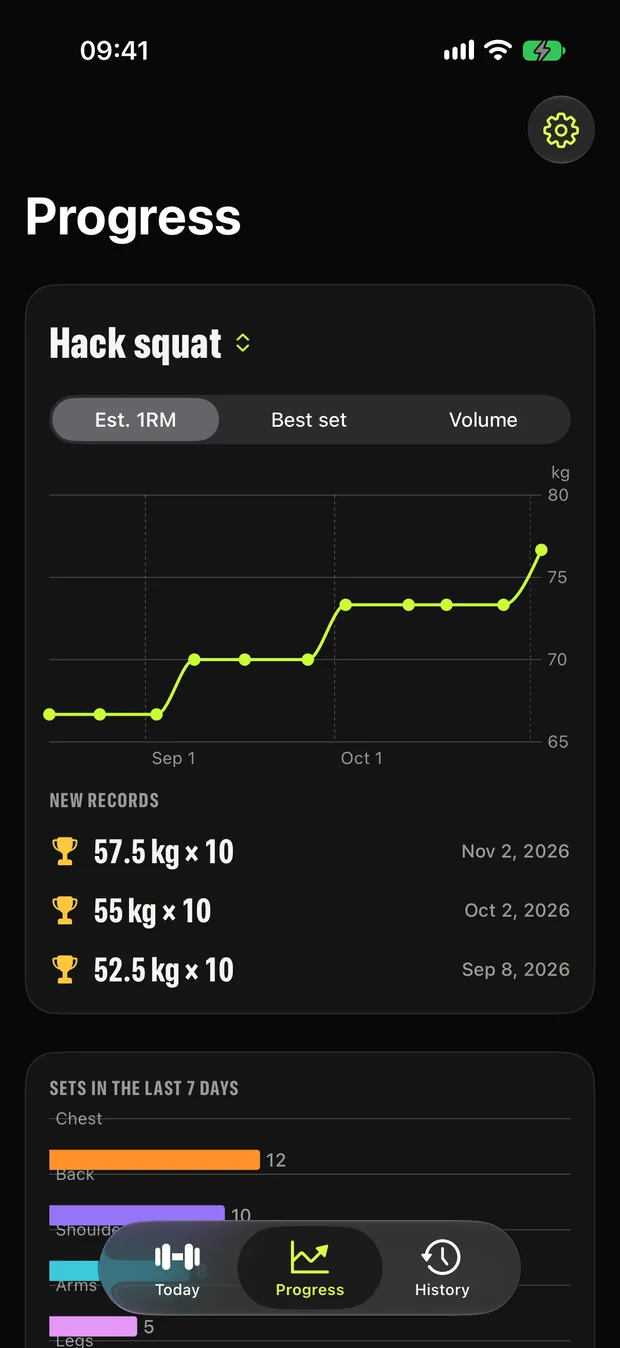
Unlimited history, a chart per exercise (estimated 1RM, best set, volume), a consistency calendar and weekly sets per muscle. Body weight, 9 measurements and progress photos, which never go to your photo library and can be locked with Face ID.
Your data is yours
No account, no ads, no tracking. Your workouts stay on your device, and in your private iCloud if you turn on sync. Import your Hevy history, export to CSV or JSON, and erase everything from Settings.
How it compares
Crescendo vs Hevy, Strong and Fitbod
All four have an Apple Watch app. Crescendo is the one that collects nothing: no account, and your workouts stay on your devices and in your private iCloud. Hevy adds a social feed, and Hevy and Strong come in many more languages.
| Crescendo | Hevy | Strong | Fitbod | |
|---|---|---|---|---|
| Data used to track you across other companies' apps and websites | None | None | None | Usage data |
| Data linked to your identity | None: Data Not Collected | Purchases, usage data, contact info, contacts | Health & fitness, purchases, contact info, identifiers, diagnostics, other data | Usage data, health & fitness, contact info, user content, identifiers, diagnostics |
| Health & fitness data collected by the developer | No | Not declared | Yes | Yes |
| Data collected but not linked to you | None | Identifiers, sensitive info, diagnostics | None | None |
| In-app purchases listed | $3.99 to $44.99, lifetime option | $2.99 to $74.99, lifetime option | $3.99 to $99.99, lifetime option | $7.99 to $95.99 |
| Apple Watch app | Yes | Yes | Yes | Yes |
| iPad app | No | Yes | No | No |
| App languages | English, French | 16 languages | 11 languages | English, Portuguese, Spanish |
In short. According to their App Store privacy labels, Crescendo collects no data, while Hevy, Strong and Fitbod all collect data linked to your identity, including health and fitness data for Strong and Fitbod. Fitbod also uses usage data to track you across other companies' apps and websites. Crescendo's in-app purchases are listed from $3.99 to $44.99, including a lifetime option, against up to $74.99 to $99.99 for the others. In exchange, Hevy and Strong are available in many more languages, and Hevy also runs on iPad.
Source: each app's page on the US App Store, checked on 11 November 2026. Privacy details are declared by each developer and are not verified by Apple; prices vary by country and change over time. Hevy, Strong and Fitbod are trademarks of their respective owners; SuiteForge is not affiliated with them.
How it works
Three steps, then it's a habit.
Answer three questions
Or pick a ready-made program. Crescendo builds your week of workouts.
Start your workout
On iPhone or Apple Watch. Each set shows the weight to lift and why.
Log and move on
Rest timer, records celebrated, and the next session's loads already worked out.
Privacy
Crescendo keeps your data on your device.
No SuiteForge account. No analytics. No advertising trackers. Here is exactly what Crescendo can access, and why.
- No ads, no analytics, no trackers
- Every permission is optional
- Nothing stored on our servers
Full details in the Crescendo Privacy Policy.
Apple Health, on Apple Watch (optional)
When you start a workout, Crescendo can start a strength-training workout on your Apple Watch. With your permission, the Watch saves the workout, your heart rate and your active energy to Apple Health, and reads them to show your heart rate during the workout and the calories of the session. This data stays in Apple Health on your devices and is never sent to SuiteForge.
Apple Health, your body weight (optional)
When you add a weigh-in or ask to see your Health weigh-ins, Crescendo asks for permission to read and save your body weight (body mass) in Apple Health. It reads the weigh-ins of the last 12 months, for example those of a connected scale, to show your weight curve in Progress, without copying them into the app, and saves to Apple Health the weigh-ins you log in Crescendo. This data stays in Apple Health on your devices and is never sent to SuiteForge. Erasing your data in Crescendo leaves the weigh-ins already in Apple Health in place.
Apple Health, your waist size (optional)
When you take your measurements or ask to see your Health waist size, Crescendo asks for permission to read and save your waist circumference in Apple Health. It reads the waist sizes of the last 12 months to show them with your measurements in Progress, without copying them into the app, and saves to Apple Health the waist size you log in Crescendo. Your other measurements (neck, shoulders, chest, arm, forearm, hips, thigh, calf) stay in Crescendo, on your devices and in your private iCloud. This data is never sent to SuiteForge. Erasing your data in Crescendo leaves the waist sizes already in Apple Health in place.
Camera and photos (optional)
When you take a progress photo, Crescendo asks for permission to use the camera. You can also pick a photo with the system photo picker, which gives Crescendo only the photo you choose and needs no permission. Each photo is re-encoded on your iPhone without its metadata (location included) and kept in Crescendo, on your devices and in your private iCloud. Crescendo never saves anything to your photo library, never writes photos to Apple Health and never sends them to SuiteForge. Erasing your data in Crescendo deletes your progress photos from your devices and your iCloud.
Face ID (optional)
If you turn on “Lock my photos”, Crescendo asks Face ID (or your iPhone passcode) before showing your progress photos. Authentication is handled by iOS; Crescendo never receives your face data.
Apple Health, your sleep, HRV and resting heart rate (optional)
When you tap “Use Health” in the Readiness line of the Today screen, Crescendo asks for permission to read your sleep (last night's asleep time), your heart rate variability (HRV, SDNN) and your resting heart rate in Apple Health. It reads them on your iPhone only, when you open Today, and compares them with your previous 28 days to offer a workout with one fewer set per exercise on tired days. These readings are never saved in Crescendo, never written to Apple Health and never sent to SuiteForge; only the check-in you choose yourself (Great, Okay, Drained) and whether the workout was made lighter are kept with the workout. Crescendo gives no medical advice.
Notifications (optional)
A notification with a sound at the end of each rest period during a workout, scheduled locally on your iPhone. Crescendo sends no other notifications.
Questions
Frequently asked
Is Crescendo free?
Yes, the essentials are free, with no account and no paywall when you open the app. Free: your tailored program, the editor, 12 programs and 12 ready-made workouts, suggested loads, deloads, effort ratings (RIR), unlimited history, charts, logging body weight, measurements and photos, the Apple Watch app, the rest timer Live Activity, widgets, Siri, Hevy import and export. Premium adds Adapt my workout, Readiness, the weekly review, measurement curves and before and after photos, trends and the Consistency widget: a monthly or yearly subscription (7-day free trial on the yearly plan) or a one-time lifetime purchase, with Family Sharing.
How does Crescendo choose the weight?
By double progression: when you reach the top of the rep range on every set, the load goes up, rounded to your equipment; otherwise you aim for more reps at the same weight. Each suggestion comes with its reason in one line, and the next set adjusts if you do too many reps or too few. You always stay in control.
Do I need an Apple Watch?
No. Everything works on iPhone alone. With an Apple Watch, you see the set, the load, your rest and your heart rate on your wrist, and the workout is saved to Apple Health.
How is Crescendo different from Hevy, Strong or Fitbod?
Crescendo suggests the weight for every set and explains why, with no account. According to their App Store privacy labels, Crescendo collects no data, while Hevy, Strong and Fitbod collect data linked to your identity, including health and fitness data for Strong and Fitbod, and Fitbod uses data to track you. Crescendo's in-app purchases are listed from $3.99 to $44.99. All four have an Apple Watch app; Hevy and Strong come in more languages, and Hevy also runs on iPad.
Can I bring my workout history from Hevy?
Yes. Crescendo imports a Hevy export file on your iPhone, for free, and can export your own history to CSV or JSON at any time.
Does Crescendo collect my data?
No. Its App Store privacy label is “Data Not Collected”. There is no account, no analytics and no ads. Your workouts stay on your devices, and in your private iCloud if you turn on sync. Crescendo gives no medical advice.
Guide
- Double progression: how much weight to add, and when · Double progression in plain words: add reps first, then weight. How much to add, which rep range to pick, what to do when you stall, with a worked example.
Start with Crescendo today.
Free to download. No account. Your data stays yours.
More from SuiteForge


