
Stay close to the people who matter.
A friend you meant to call. A former colleague you never followed up with. KeepContact turns "I should reach out" into a simple daily habit — and helps you know what to say when you do. No cloud, no account, no server.
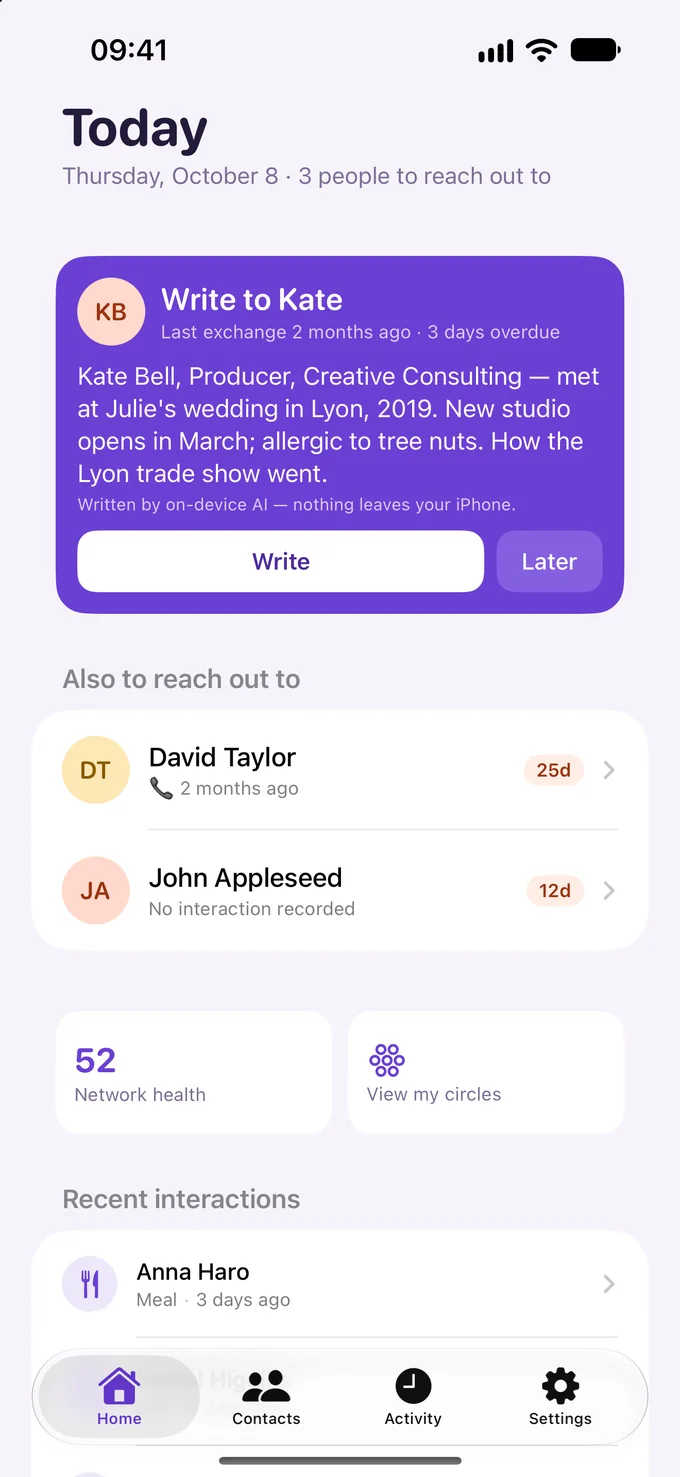
See it in action
Real screens from KeepContact.
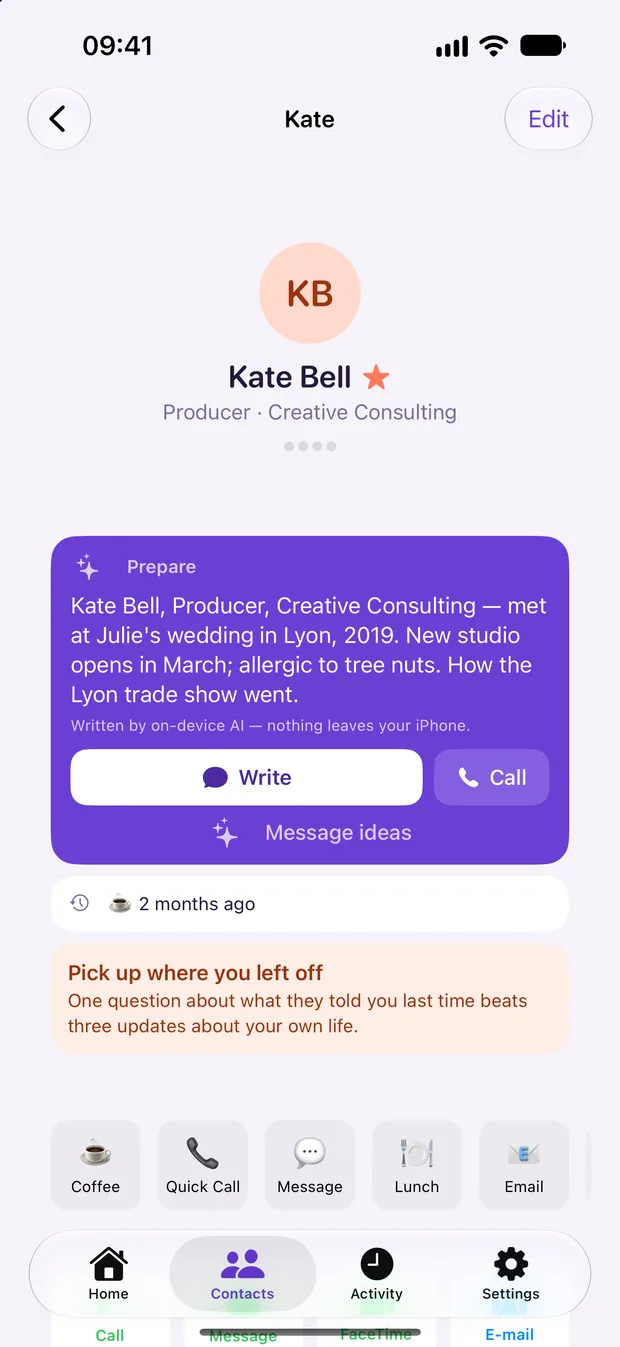
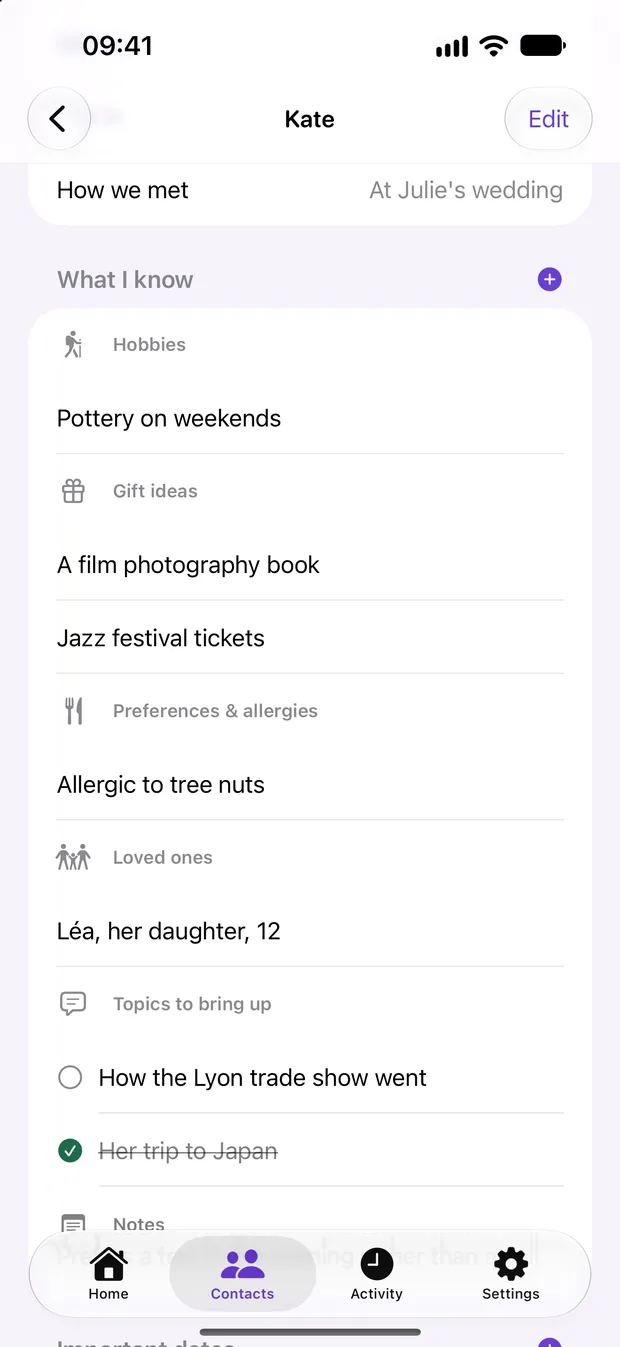
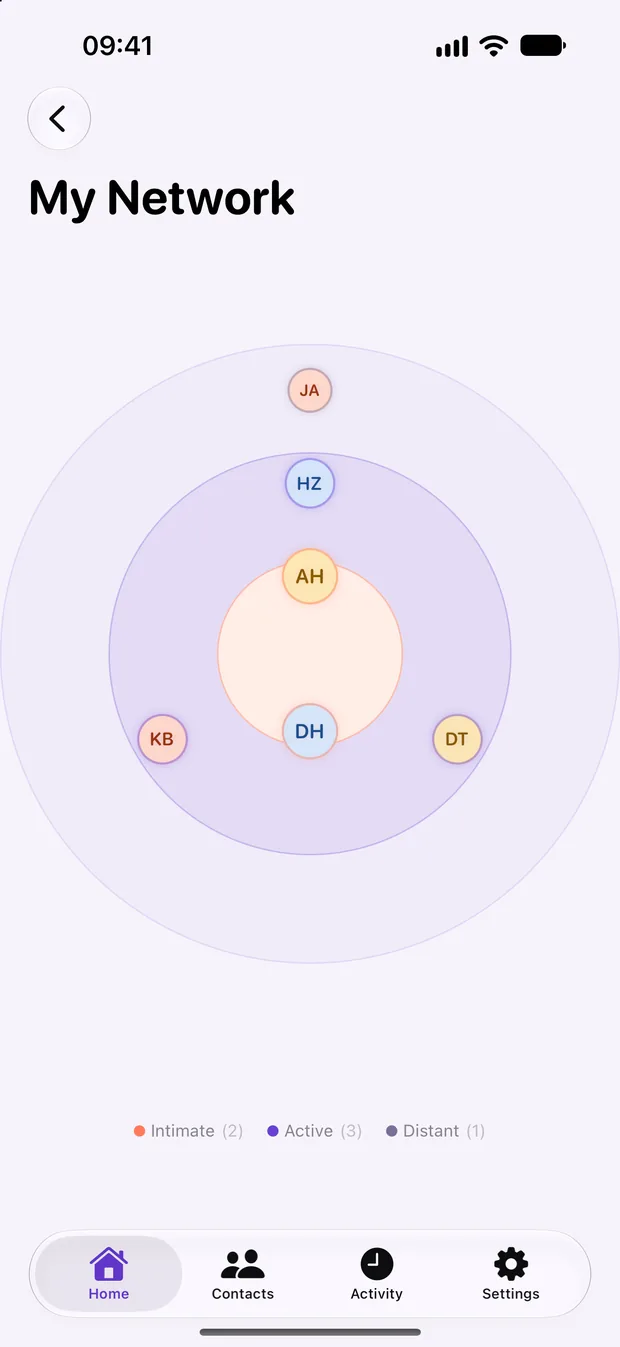
What it does
Everything you need, nothing you don't.
One clear next step, every morning
See who is overdue, at the rhythm you chose for each person. KeepContact puts one person first, with a three-line summary and a way to open the conversation — and message ideas if you're stuck on the first words.
Remember what matters to them
Hobbies, gift ideas, allergies, their kids' names, the topic you promised to follow up on. Plus birthdays, anniversaries, the day you met, and who introduced you.
Keep the thread
Log calls, coffees, messages and meetings in one journal. Dictate a voice memo, transcribed on your iPhone. Scan a business card and the contact fills itself in. KeepContact even spots who you saw in your calendar and offers to log it.
Your network at a glance
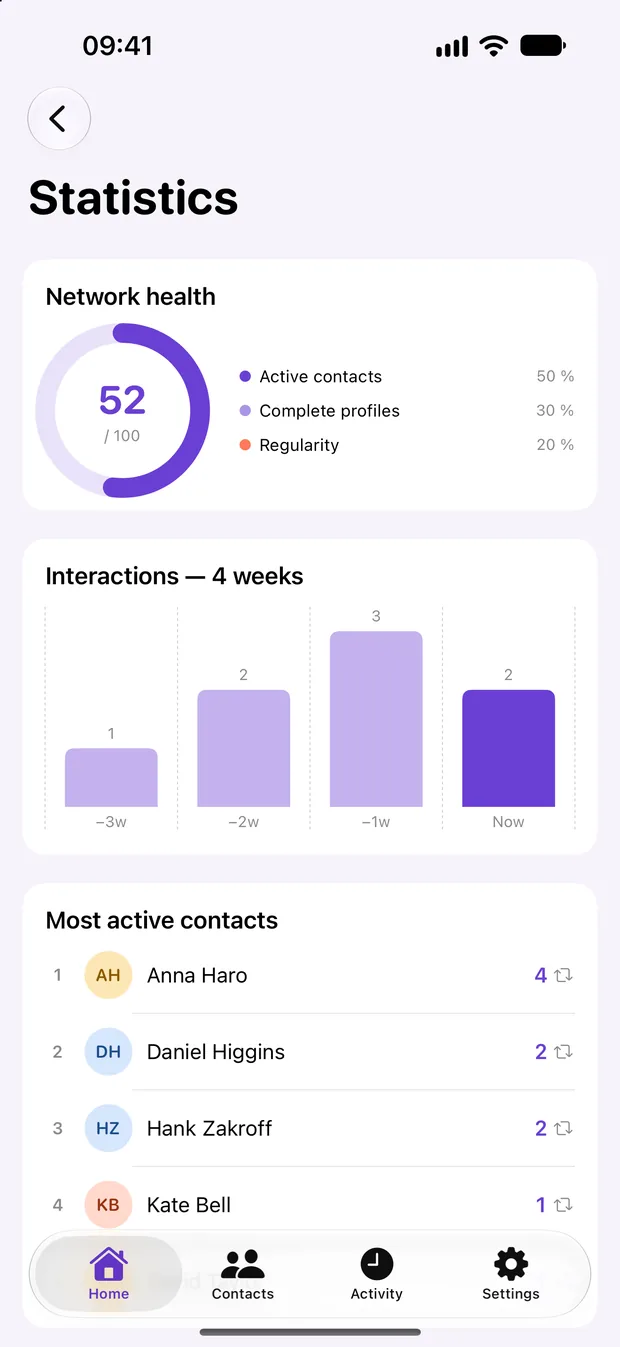
A relationship health score out of 100, circles from closest to most distant, and statistics on who you actually stay in touch with.
Your year in relationships
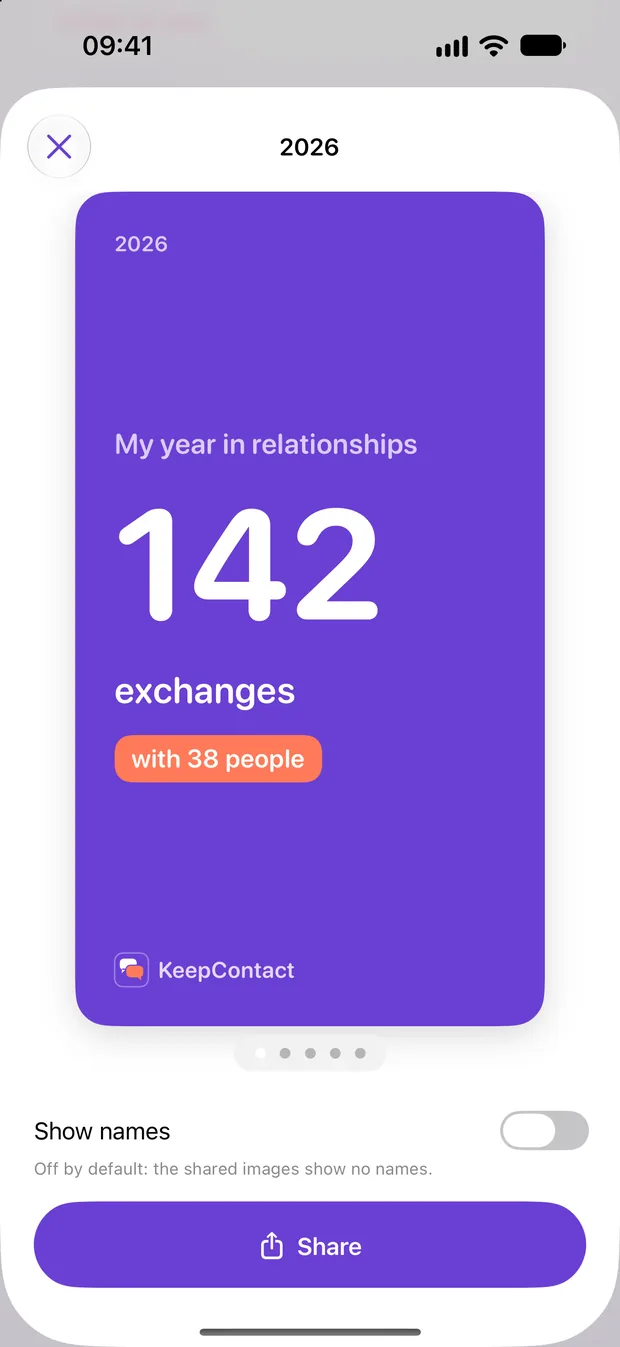
In December, KeepContact puts together your year in relationships, in story format, ready to share — no names shown by default. With Pro, add a greetings card to send with your wishes.
No guilt, no clutter
Snooze anyone for a week, a month, or indefinitely. Updates from your Contacts are suggested field by field, and duplicates are found and merged in one tap.
How it compares
KeepContact vs Dex, Mesh (Clay) and Contacts Journal
Your address book is the most personal data on your iPhone. KeepContact never sends it anywhere; cloud CRMs sync it to their servers to work across devices.
| KeepContact | Dex | Mesh (Clay) | Contacts Journal | |
|---|---|---|---|---|
| Data linked to your identity | None: Data Not Collected | Contacts, contact info, usage | Contacts, contact info, user content, search history, identifiers, usage | None |
| Your contacts collected by the developer | No | Yes | Yes | No |
| Data collected but not linked to you | None | Diagnostics | Diagnostics | Identifiers, diagnostics |
| In-app purchases listed | $4.99 to $69.99, lifetime option | $19.99 to $239.99 | $19.99 to $119.99 | $9.99 to $399.99, team plans |
| Apple Watch app | No | No | No | Yes |
| App languages | English, French | English | English | English |
In short. According to their App Store privacy labels, KeepContact collects no data, while Dex and Mesh (Clay) collect your contacts and link them, with other data, to your identity. Contacts Journal links no data to you but collects identifiers and diagnostics, and also offers an Apple Watch app and team plans. KeepContact's in-app purchases are listed from $4.99 to $69.99, including a lifetime option, against up to $119.99 to $399.99 for the others.
Source: each app's page on the US App Store, checked on 14 October 2026. Privacy details are declared by each developer and are not verified by Apple; prices vary by country and change over time. Dex, Mesh (Clay) and Contacts Journal are trademarks of their respective owners; SuiteForge is not affiliated with them.
How it works
Three steps, then it's a habit.
Pick the people who matter
Work, friends, family: choose who counts and how often you'd like to be in touch. Import from Contacts or add people by hand.
Reach out, with something to say
Each morning, KeepContact shows who's due, what you know about them, and an idea to open the conversation.
Log it in a tap
After the call or the coffee, log it in one tap or dictate a voice note. Next time, you pick up right where you left off.
Privacy
KeepContact keeps your data on your device.
No SuiteForge account. No analytics. No advertising trackers. Here is exactly what KeepContact can access, and why.
- No ads, no analytics, no trackers
- Every permission is optional
- Nothing stored on our servers
Full details in the KeepContact Privacy Policy.
Contacts (optional)
If you choose to import people from your address book, KeepContact reads your contacts on your device to import them and to suggest updates. It never uploads them anywhere and never writes to your address book. You can use KeepContact without granting this permission by adding people manually.
Calendar (optional)
If you turn on calendar suggestions, KeepContact reads your past events on your device to suggest logging the time you spent with your contacts. Nothing is saved without your OK, and nothing leaves your iPhone.
Camera (optional)
Only used when you scan a business card, to read it and prefill a contact. The image is neither saved nor sent.
Microphone (optional)
Only used if you choose to record a voice note on an interaction. The microphone is accessed only while you are recording. Voice notes and their transcripts are created and stored on your device.
Notifications (optional)
Used only for the stay-in-touch reminders, birthday notifications and the morning brief you choose to receive. They are scheduled locally on your iPhone.
Questions
Frequently asked
Is KeepContact free?
Yes. KeepContact is free to download, and you can track up to 15 contacts and 3 reminders for free. KeepContact Pro removes the limits and unlocks the on-device AI, voice notes, the morning brief, the health score, circles, statistics, messages to several people and encrypted backups. Your year in review, every December, is free. Subscriptions come with a 7-day free trial, or you can get Pro for life with a single payment.
What's a good private personal CRM app?
KeepContact is a privacy-first personal CRM for iPhone: no account, no server, no analytics and no trackers. Every name, note and reminder is stored on your device, and its App Store privacy label is "Data Not Collected".
Does KeepContact upload my contacts?
No. KeepContact never uploads your contacts or notes. It works 100% offline and everything stays on your iPhone. Backups are files you save yourself, and can be encrypted with a password only you know.
How does the AI work without sending my data?
KeepContact uses Apple's on-device AI model. Summaries, message ideas and the facts it picks up from your notes are generated on your iPhone; your notes never leave it. It requires an iPhone that supports Apple Intelligence; the rest of the app works on any iPhone running a supported iOS version.
How is KeepContact different from Dex, Mesh (Clay) or Contacts Journal?
KeepContact's App Store privacy label is "Data Not Collected": your contacts and notes never leave your iPhone. According to their App Store listings, Dex and Mesh (Clay) collect your contacts and link them to your identity, and Contacts Journal collects identifiers and diagnostics. KeepContact's in-app purchases are listed from $4.99 to $69.99, including a lifetime option. Contacts Journal offers an Apple Watch app and team plans; cloud CRMs sync across devices, which KeepContact deliberately does not.
Does KeepContact sync with iCloud?
Not at the moment. KeepContact keeps everything on your iPhone. To move your data to another iPhone, KeepContact Pro includes a backup in Settings, which you can encrypt with your own password.
Start with KeepContact today.
Free to download. No account. Your data stays yours.
More from SuiteForge


